Posts

#6 Google Jamboard, Top 5 Uses

Image
  When I first came across Jamboard, I didn't think I would get much use out of it in my lessons. I did try to get some of my students to use it during a COVID Zoom lesson, but I hadn't really thought through the technicalities of using it with my students virtually. I can safely say it was a mess...both the lesson and the Jamboard.  However, I have been getting into Jamboard more and more over the last year or so. The reason? Well, quite often with new technology apps or platforms, it's normal to have a few early disasters, so it's always good to have another look before you write something off as 'not for me, thanks'. I did that and realized Jamboard actually has a lot to offer! Once I had some time to think about what I was doing in my lessons, and how I could apply Jamboard  tools to help me, I realized that there were many things I could do. To help me think about this more clearly I used the SAMR concept for using technology , which basically sets out 4 di...

#5 Top iPad Apps for EFL Elementary Teachers and Students

Image
 Over the last 5 years I have been collecting and collating information about the apps we use on our iPads at school. Over time some apps stop working or fall out of favour, while new ones emerge.  So, as it's the start of a new year, and we are back at school AND in the classroom AND using the school iPads, after a long 'students can touch-nothing, especially iPads' Covid-related absence, I thought it was good time to review and update and streamline my list. One for our teachers, one for our students. They may be useful to other EFL/ESL teachers. Criteria for teachers' apps: Easy to use, free and useful! Criteria for students' apps: Easy to use, free or inexpensive, useful, engaging and fun!  iOS v. Android NOTE: All the apps mentioned in the student app list can also be found on Google Play, so if students have android tablets or phones at home and want to practice on the apps outside the classroom, no problem. Teachers' list         ...

#4 Make a student podcast using Anchor and share in Google Classroom

Image
 * Update September 2023: This blogpost is 2 years old and there has been one big change to the Anchor podcast. The name has changed to Spotify for Podcasters . So if you want to download the app, look for Spotify for Podcasters , not Anchor. Nothing else has changed. ________________________ It's September 2021, back to school. But school is not quite back to normal here in Hong Kong. Masks are mandatory, no group or pair work is possible for students, with transparent plastic space bubbles around each desk isolating every student from their peers. As we enter into a new school year at least schools are open and students are attending. However, primary schools are only open on a half-day schedule and everyone is working to a very tight timetable. This means putting on extra-curricular activities for students either after school or during recess and lunch times is extremely difficult or just impossible.  This has left me with a challenge at the start of this school year: How c...

#3 Google Slides Duplicate Paperless Worksheets: Everyone's Homework in One Place

Image
  My students (and their parents) are all familiar with using Google Classroom after 18 months of stop-start home study due to the COVID pandemic. Because of this, it is now quite easy to create and send digital worksheets to students for homework whether they are studying at school or at home. They are quite comfortable accessing files through their Google Classroom Stream or Classwork. Of course, one easy way to send a digital worksheet is to make a copy for every student in the Google Classroom Classwork and send it like that. Every student receives an individual copy of the Slide deck, then completes the digital worksheet on the Slide and turns it in for marking. This is fantastic. However, there is another way to send homework and a couple of good reasons for doing so: Simply post one Slide deck with the digital worksheet duplicated as many times as you have students. The video below shows you exactly how to do that and what key points to look out for, including adding task in...

#2 Self-Study Pronunciation Practice with Voice Typing in Docs

Image
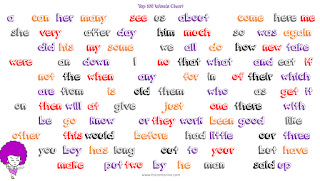
 The voice typing tool within Google Docs can be used for many interesting student-led activities. If you haven't used the voice typing tool before, watch this  YT tutorial video link . For teachers teaching English as a second language, one simple way of making use of this feature is to get students to test their own pronunciation of words they are learning. The following example lesson is based on teaching my own P2 students to self-test themselves with high-frequency words they have been learning. Stages 1. Explain to your students that you want them to test themselves on the HF words they have been learning, using and interacting with in recent lessons. Demonstrate to the whole class how to find and use the voice typing tool. 2. Make sure students have access to an empty Google Doc (post in Classroom Stream or Classwork for easy access OR simply have your students' classroom devices set up prior to the class so that every device has an empty doc opened and ready to use). ...

#1 Emoji Puzzles in Google Classroom

 This is my first post as a Google Certified Trainer. I will be using this Blog as a space to collect and curate my own and others' ideas for Workspace-based lesson activities / training session ideas. #1  Emoji Puzzles within Google Classrooms    The idea of using emojis as a lesson resource for writing activities was first introduced to me by Jonathan Lee at HK EDB Net Section. Thanks Jon!