Posts

#34. NotebookLM - Uses for K12 EducatorsTeachers

Image
Google's New NotebookLM is a very useful study tool but only users 18+ can use it. Does that mean that this new tool has no value for Educators who work in a K12 environment? The answer to that question is NO.  The purpose of this blog post is to show K12 Educators how they can use Google NotebookLM’s podcast feature to convert dense, theoretical, or policy-heavy documents into digestible audio content which can help them: Learn on-the-go and avoid “PD fatigue” Retain more from long readings Reflect more deeply via AI-generated conversations As educators, we’re constantly asked to read: policy updates, professional development (PD) documents, theoretical frameworks, and the occasional 50-page research article. These texts are often essential, sometimes not — but whatever their importance, let’s be honest: they’re not always easy to digest. Add a full teaching timetable into the mix, and it becomes nearly impossible to give these documents the attention (some of them) deserve. Recen...

#33. Agentic AI in Education: My First Hands-On Test with Simular

Image
Over the past week or so, I’ve been testing a new tool in the ever-evolving world of AI — Simular*. It's a browser-based platform that promises to bring “agentic AI” to life. The idea is compelling: instead of prompting a chatbot like ChatGPT to give you information, you can direct an autonomous “agent” to visit websites, scroll, click, read, extract data, and even write content like a newsletter or report. As an educator, this concept has obvious appeal. When I started to test out Simular I had high hopes, especially in helping me streamline tasks like researching new EdTech tools, curating weekly digests for other educators, and summarizing long-form blog posts or research articles. In theory, it could serve as an automated research assistant — browsing the web while I focus on planning lessons for my students or doing other, related tasks. But after hands-on testing, I’ve come away with two key conclusions: 1. It’s not quite ready — at least for educators. Despite its sleek inte...

#32. Using AI to Create Interactive Character Penpal Chatbots for Post-Reading Activities in Classrooms

Image
One of the biggest challenges in ESL/EFL teaching is keeping post-reading activities engaging, especially for young learners. Often, after reading a story together, students answer comprehension questions or complete worksheets—but what if we could take it further?   Using AI, we can create interactive character penpal chatbots where students "email" or "message" their favorite characters from the story. This turns post-reading activities into a class-wide interactive discussion, writing, and reading experience!  (Note: Full GPT configuration prompt at the bottom of this blog post.) What is a Character Penpal Chatbot?  A Character Penpal Chatbot is an AI-powered writing activity where students send emails (or messages) to characters from a story and receive realistic, fun responses in return. Instead of traditional Q&A, students actively engage with Little Red Riding Hood, the Wolf, Grandma, and more—as if they were writing real letters!   Example: ...

#31. Reinventing Reading: Using AI and Digital Tools to Create New Formats of Educational Storytelling

Image
In today’s classrooms, educators face a growing challenge: Students, especially ESL and EFL learners, are reading less. For a growing number of students, traditional books struggle to compete with the fast-paced, visually stimulating world of digital media. Instead of lamenting this shift, I decided to embrace it—by using AI and digital tools to reimagine what reading material can be. The Experiment: Turning a 'Text Story' into a 'Mini-Series' For this project, I wanted to see how far I could push my own understanding of current AI and tech tools to create an engaging reading experience for my Grade 5 and 6 ESL students. The result? A five-part YouTube mini-series based on an original story, crafted with the help of Chat GPT, called "Birthday Boy." This faux-horror comedy follows the misadventures of the ever-ridiculous Ranterino character (whom my students have known and interacted with for many years) as he disastrously attempts to become a children’s birthd...

#30. Writing Tools: Three Simple Ways Educators Can Use Apple Intelligence in Notes

Image
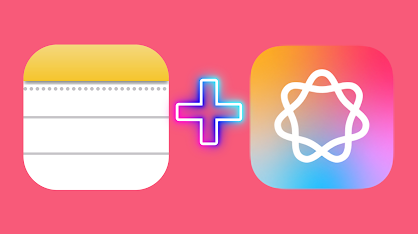
As educational technology continues to evolve, Apple has introduced powerful tools that can support educators in a wide range of tasks. Among these, Apple Intelligence Writing Tools in Notes stands out for its practical, time-saving applications. Here are three ways all educators can harness these tools to help themselves and their students. (Note: If you don't use any Apple devices within your role as a educator no need to continue reading.) 1. Record and Summarize Apple Notes’ new capabilities make it easy for educators to record and summarize both meetings and classroom interactions. Imagine you’re in a lengthy teacher meeting filled with important information—taking detailed notes can be challenging. With Apple Intelligence, you can audio record the meeting directly in Notes, and a summary can be quickly generated using Writing Tools. This feature pulls out key points and saves time on post-meeting documentation. For students, another great application is recording student int...

#29. Harnessing Text-to-Speech Technology in the EFL/ESL Classroom

Image
Harnessing Text-to-Speech Technology  in the EFL/ESL Classroom In today’s tech-savvy educational landscape, finding innovative tools to enhance learning is crucial, especially in the EFL/ESL classroom. One such tool that has gained popularity among teachers is the Natural Reader (NR) app. This powerful text-to-speech application allows teachers to create engaging reading and listening passages by converting text into speech. Let’s explore creative uses of the NR app in EFL/ESL lessons and compare it to the built-in text-to-speech features on MacOS and iPad. Teachers can use the NR app to prepare reading passages , which the app reads aloud. Students follow along, improving their pronunciation, intonation, and fluency. This method provides a natural flow of English, helping students grasp the rhythm and nuances of the language. Students can also listen to passages read by NR and answer comprehension questions tailored to current lesson themes, vocabulary, or grammar points, making ...

#28.Creating an AI Tutor: 3 Key Items

Image
AI has revolutionised the way we can learn generally but also specifically , such as when we prepare for any given exam. The concept of the AI 'tutor' is now familiar to many educators, but how do you quickly make a good AI tutor which can produce relevant and useful practice exam resources for your students? In this blog post we look at answering that question with a focus on how to make an AI tutor as efficient and as easy to use as possible for the users, whether that is the teachers or the students. Firstly, if you watch the short video here you can see 5 simple steps for how to actually make a GPT in OpenAI.  Now we have seen how to make a GPT, we need to further consider the 3 key items that go into creating a very useful and efficient AI tutor. These are: 1. Define the Configuration Prompt: A well-structured configuration prompt is crucial. It ensures that the AI understands the scope and requirements of its tutoring capabilities. By specifying the types of questions an...